Does My Phone Support eSIM? A Simple Compatibility Guide for Travelers
Not sure if your phone supports eSIM? Before buying a travel eSIM, it’s important to check whether your device is eSIM-compatible, unlocked, and ready to use overseas. Here’s a simple guide to help you check your phone before your trip.

Planning to use an eSIM for your next trip but not sure if your phone supports it? You’re not alone.
One of the most common questions travelers ask before buying a travel eSIM is:
"Does my phone support eSIM?"
The answer depends on three things: your phone model, where your phone was purchased, and whether your phone is unlocked. Even if your phone looks new, it does not always mean eSIM is available.
Datapang has helped over 50,000 travelers get connected with eSIM. One of the first things we check with customers is compatibility. Here's the simple guide we share with them.
What Is eSIM?
An eSIM is a digital SIM built into your phone. Instead of inserting a physical SIM card, you can install a mobile data plan by scanning a QR code or following the setup instructions from your eSIM provider.
For travelers, eSIM is very convenient because you can prepare your internet before the trip and connect shortly after arriving at your destination.
No airport SIM counter. No tiny SIM card to remove. No need to switch physical cards.
But before purchasing, you need to make sure your phone can actually use eSIM.
The 3 Things You Need to Check Before Buying an eSIM
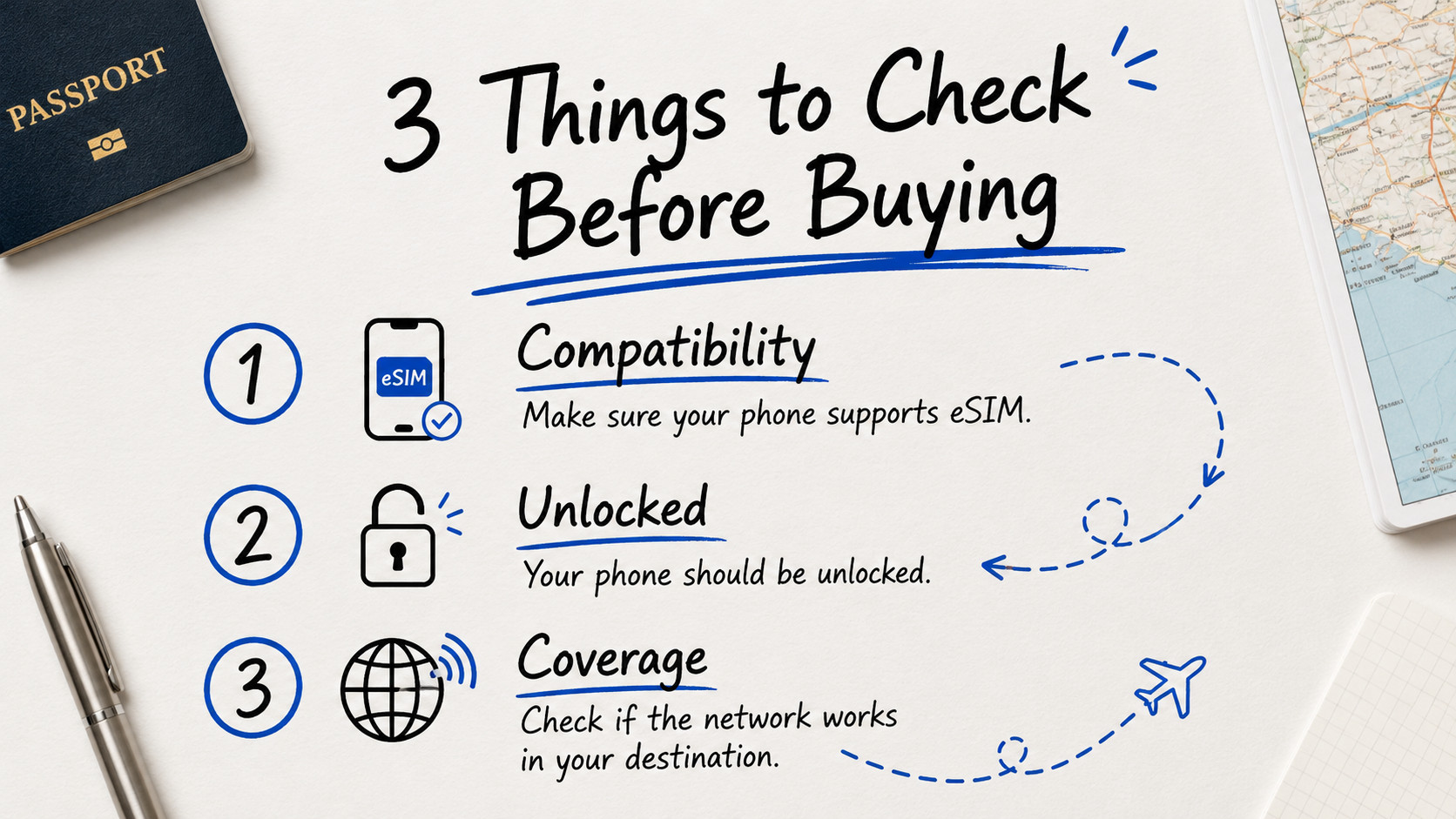
Before buying a travel eSIM, check these three things:
1. Your phone supports eSIM
2. Your phone is unlocked
3. Your phone supports the network in your destination country
Let’s go through them one by one.
1. Check If Your Phone Model Supports eSIM
Most newer iPhones, Samsung Galaxy phones, and Google Pixel phones support eSIM. However, support can depend on the exact model and country version.
iPhones That Usually Support eSIM
In general, iPhone XS, iPhone XS Max, iPhone XR, and newer models support eSIM.
This includes many popular models such as:
• iPhone XR
• iPhone XS / XS Max
• iPhone 11 series
• iPhone 12 series
• iPhone 13 series
• iPhone 14 series
• iPhone 15 series
• iPhone 16 series
• iPhone 17 series
• iPhone SE 2nd generation and newer
However, there are some regional exceptions. Some iPhone models sold in certain regions may have different SIM settings, so it is always best to check directly from your phone settings before purchasing.
If you're not sure about your specific iPhone model, contact Datapang support. We have a database of compatible models by region and can confirm in 2 minutes via WhatsApp.
Samsung Galaxy Phones That Usually Support eSIM
Many recent Samsung Galaxy flagship models support eSIM, including:
• Galaxy S20 series and newer
• Galaxy S21 series
• Galaxy S22 series
• Galaxy S23 series
• Galaxy S24 series
• Galaxy S25 series
• Galaxy Z Flip series
• Galaxy Z Fold series
Some Galaxy A series models may also support eSIM depending on the model and country, but not all of them do.
Because Samsung models can vary by region, the safest way is to check your phone settings directly.
Google Pixel Phones That Usually Support eSIM
Most Google Pixel 4 and newer models support eSIM. This includes:
• Pixel 4 and newer
• Pixel 5 series
• Pixel 6 series
• Pixel 7 series
• Pixel 8 series
• Pixel 9 series
• Pixel 10 series
Some older Pixel models may support eSIM only in certain versions, so if you use an older Pixel phone, it is better to double-check before buying.
2. Check If Your Phone Is Unlocked
Even if your phone supports eSIM, it still needs to be unlocked.
A locked phone means your device may only work with one carrier. For example, if your phone is locked to a mobile carrier in your home country, you may not be able to use a travel eSIM from another provider.
This is very important for travelers. Before buying an eSIM, make sure your phone is not carrier-locked.
If you bought your phone directly from your carrier (not unlocked at purchase), it's almost certainly locked. Phones purchased from retailers or Apple/Samsung directly are usually unlocked.
How to Check If Your iPhone Is Unlocked
Go to Settings → General → About → Carrier Lock
If it says "No SIM restrictions," your iPhone is unlocked. If it shows carrier restrictions, your phone may be locked.
How to Check If Your Android Phone Is Unlocked
On Android, the steps may be different depending on the brand and model. You can usually check by going to Settings, checking SIM Manager or Mobile Network, contacting your carrier, or trying another SIM or eSIM from a different provider.
If you are not sure, contact your mobile carrier before buying a travel eSIM. Or contact Datapang. We've helped travelers unlock phones before their trips. We can guide you through the process with your carrier or recommend the fastest solution.
3. Check If Your Phone Has the eSIM Setting
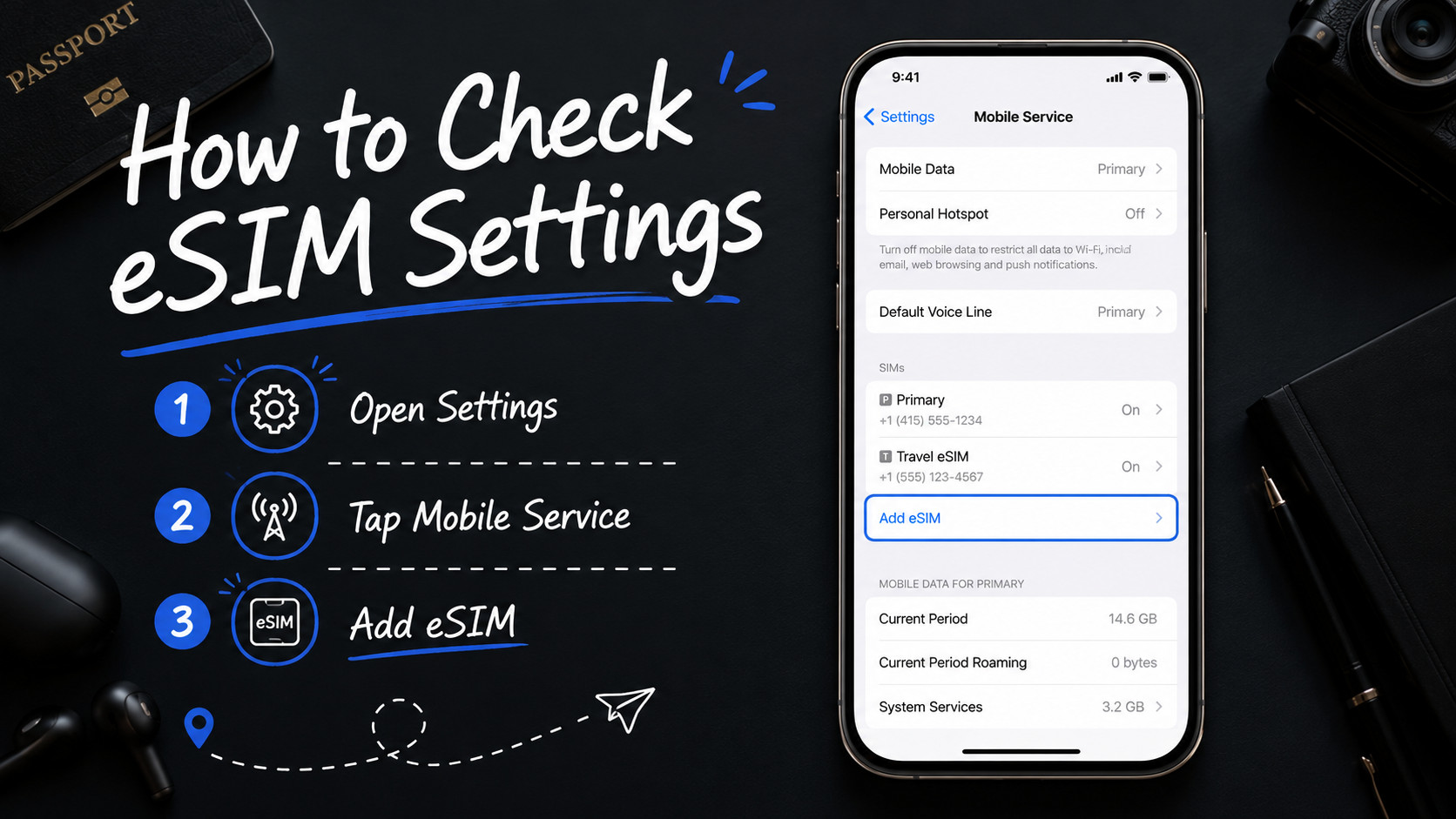
This is the easiest quick check.
For iPhone
Go to Settings → Cellular or Mobile Service → Add eSIM
If you can see "Add eSIM", your phone likely supports eSIM.
For Samsung Galaxy
Go to Settings → Connections → SIM Manager → Add eSIM
If you can see '"Add eSIM", your phone likely supports eSIM.
For Google Pixel
Go to Settings → Network & Internet → SIMs → Add SIM or Download a SIM
If your phone shows an option to download or add an eSIM, your device likely supports eSIM.
What If I Don’t See the eSIM Option?
If you cannot find the eSIM option, it may mean:
• Your phone does not support eSIM
• Your phone model is a regional version without eSIM
• Your phone software needs an update
• Your carrier has restricted the feature
• Your phone is locked
Before purchasing an eSIM, update your phone software and check again. If the option still does not appear, contact your phone carrier or device manufacturer.
Still stuck? Datapang's support team can help troubleshoot. Message us on WhatsApp with screenshots of your SIM settings, and we'll let you know if your phone will work. We support customers in English, Korean, and Japanese.
Can I Use eSIM and My Physical SIM at the Same Time?
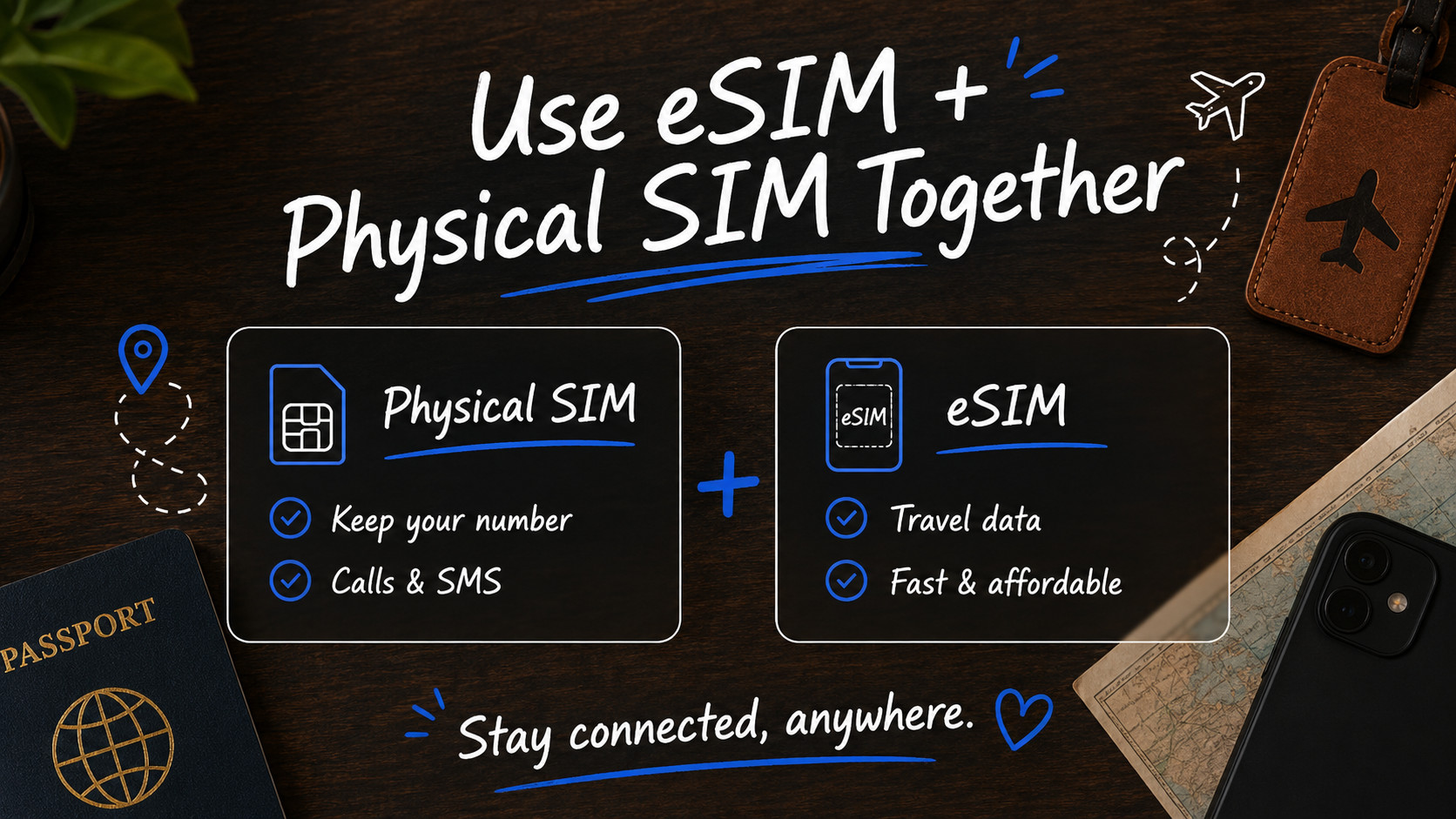
In many cases, yes. Many modern phones allow you to use a physical SIM and an eSIM together. This is useful when traveling because you can keep your original number active for calls, SMS, or banking verification, while using the travel eSIM for mobile data.
For example, you can:
• Keep your original SIM for calls and SMS
• Use your travel eSIM for internet
• Continue using WhatsApp with your original number
• Avoid high roaming data charges
This is one of the biggest reasons travelers choose eSIM.
This is actually the most popular setup. You get all the comfort of your home number and WhatsApp, plus fast internet from your travel eSIM. No switching back and forth.
Will I Lose My WhatsApp Number If I Use eSIM?
No, using an eSIM does not automatically change your WhatsApp number.
WhatsApp is linked to your registered phone number, not directly to your SIM card. You can usually keep using WhatsApp with your original number while using a travel eSIM for data.
Just make sure you do not change your WhatsApp number inside the app unless you actually want to.
This is huge for travelers. Your WhatsApp, banking apps, and everything else stays connected to your original number. The travel eSIM just handles internet. Your contacts never notice you're abroad.
Do All New Phones Support eSIM?
No. This is a common misunderstanding.
Some new phones still do not support eSIM, especially certain budget models or region-specific versions. Even if the phone was recently released, you should still check the settings before buying an eSIM.
The safest rule is: Don’t guess. Check your phone settings first.
Quick eSIM Compatibility Checklist
Before buying a travel eSIM, check this:
• Does your phone show "Add eSIM" or "Download SIM"?
• Is your phone unlocked?
• Is your phone updated to the latest software?
• Is your phone not restricted by your carrier?
• Does your phone support the destination country’s network?
If the answer is yes, your phone is likely ready for eSIM.
When Should I Check eSIM Compatibility?
It is best to check before your trip, not after landing.
If your phone does not support eSIM and you only find out at the airport, it can be stressful. You may need to look for a physical SIM card, use airport Wi-Fi, or find another internet option.
To avoid this, check your phone at least a few days before traveling.
Before You Buy an eSIM
Before purchasing a travel eSIM, take one minute to check your phone settings.
If your phone shows Add eSIM, Add Mobile Plan, or Download SIM, your device most likely supports eSIM. Also make sure your phone is unlocked, especially if it was bought through a mobile carrier.
Checking this before your trip is much easier than finding out after landing.
Once your phone is ready, you can choose your destination eSIM, install it before departure, and connect when you arrive. Datapang makes this process seamless with 30-second activation and 24/7 support if anything goes wrong.
Not Sure About Your Phone? We Can Help
If you've checked everything above and you're still not sure, don't buy blindly. Datapang offers free device verification before purchase.
Message us:
📱 WhatsApp: Send a photo of your SIM settings
💬 KakaoTalk: Talk to us
✉️ Email: datapang@ptsk.co.kr
We'll confirm compatibility in under 5 minutes. No charge. No obligation.
Ready to Buy?
If your phone passed all three checks above, you're ready for eSIM.
We offer:
• 200+ destinations (Korea, Japan, Europe, USA, Asia, more)
• Instant 30-second activation
• Plans from $0.77
• 24/7 support in English, Korean, Japanese
• Money-back guarantee if it doesn't work with your phone
Your compatible phone is waiting. Your next trip starts here.